---
title: "Discounts"
doc_type: static
doc_category: static
doc_version: v20270301
source_url:
html: 'https://developer.shopline.com/docs/online-store-3-0-themes/theme-features/pricing-and-payment/discounts'
md: 'https://developer.shopline.com/docs/online-store-3-0-themes/theme-features/pricing-and-payment/discounts.md'
---
# Discounts
Merchants use discounts as promotional tools to drive sales. Discounts can be applied at multiple levels, including the order, line-item, cart, and checkout levels. In the SHOPLINE Admin, you can configure the following categories of discounts:
+ [Automatic Discounts](https://help.shopline.com/hc/en-001/articles/14181273236761-Guide-to-Creating-Discount-Campaigns)
+ [Discount Codes](https://help.shopline.com/hc/en-001/articles/14181273236761-Guide-to-Creating-Discount-Campaigns)
---
## Objects containing discount information
### [discount_application](https://developer.shopline.com/docs/sline/object/discount-application.md)
In a [template](https://developer.shopline.com/docs/online-store-3-0-themes/theme-structure/templates.md) file of the cart type, you can access the discount information in `discount_application` via the following properties of the [cart](https://developer.shopline.com/docs/sline/object/cart.md) object:
+ cart.discount_applications
+ cart.cart_level_discount_applications
### [discount_allocation](https://developer.shopline.com/docs/sline/object/discount-allocation.md)
`discount_allocation` is associated with a specific line item. Thus, you can access the discount information for a specific line item via [line_item.line_level_discount_allocations](https://developer.shopline.com/docs/sline/object/line-item.md).
### [line_item](https://developer.shopline.com/docs/sline/object/line-item.md)
`line_item` represents a specific line item and can be accessed via the following objects:
+ [cart.items](https://developer.shopline.com/docs/sline/object/cart.md)
+ [order.line_items](https://developer.shopline.com/docs/sline/object/order.md)
To display a product variant's price before or after discount application, use the following properties of [line_item](https://developer.shopline.com/docs/sline/object/line-item.md):
+ original_price
+ original_line_price
+ final_price
+ final_line_price
+ line_level_total_discount
---
## Displaying discount information in the theme
The following demonstrates how to display a line-item discount and a subtotal-based discount on the shopping cart page. The code snippet can also be used for an order details page.
### Displaying a line-item discount
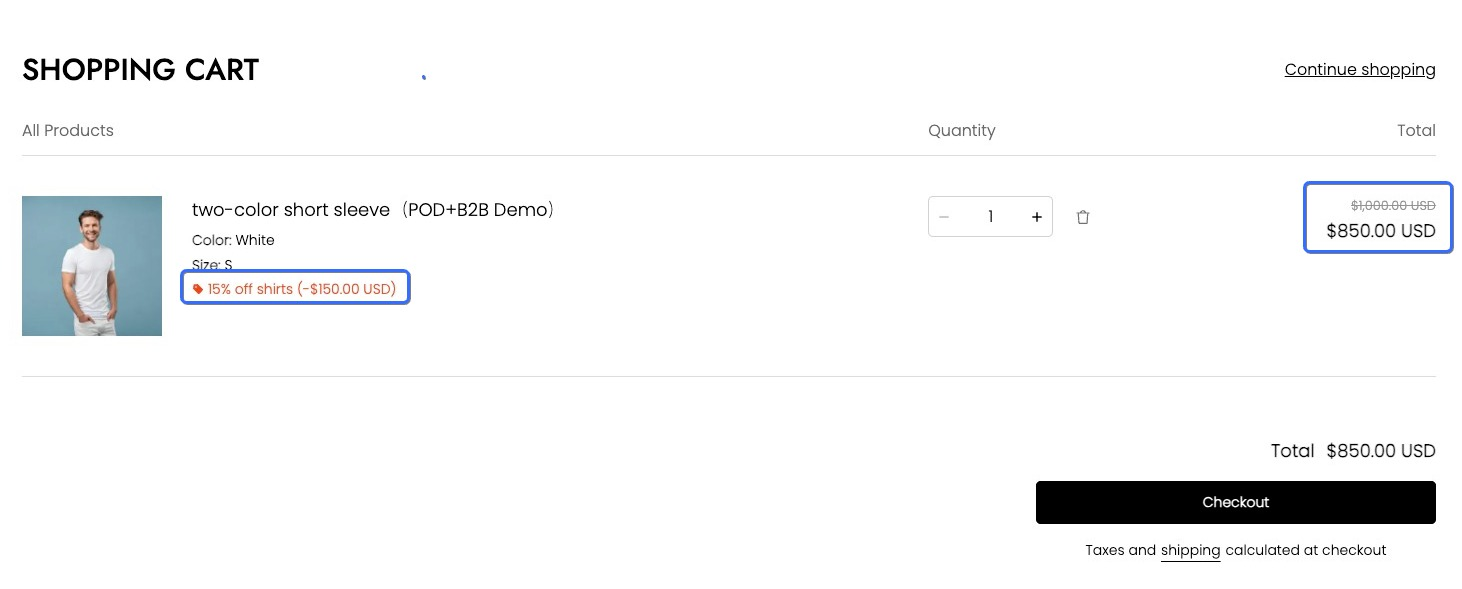
To display the active discount applied and the final discounted price for a specific line item, use [line_item.line_level_discount_allocations](https://developer.shopline.com/docs/sline/object/line-item.md) and [line_item.final_line_price](https://developer.shopline.com/docs/sline/object/line-item.md).
#### Outputting the discount information
The example code is as follows:
```html
{{#for item in cart.items }}
{{#if item.line_level_discount_allocations | size() }}
{{#for discount in item.line_level_discount_allocations }}
-
{{#component "icons/bookmark" /}}
{{ discount.discount_application.title }}
(-{{{ discount.amount | money_with_currency() }}})
{{/for}}
{{/if}}
{{/for}}
```
#### Outputting the final discounted price
The example code is as follows:
```html
{{#for item in cart.items }}
{{{item.final_line_price | money_with_currency()}}}
{{/for}}
```
#### Effect
The final effect of displaying discount information for the line item is as follows:
### Displaying a subtotal-based discount
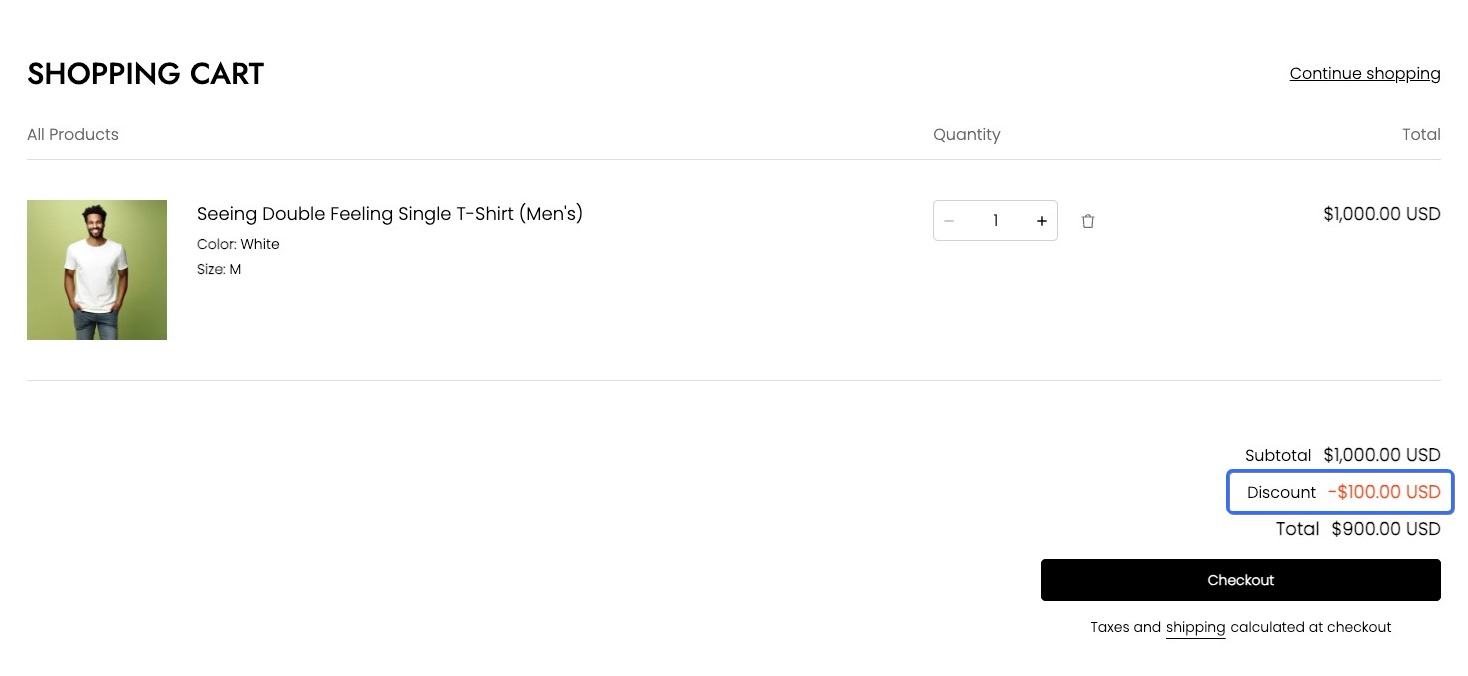
To retrieve the total discount amount for an order when a discount is applied to the entire shopping cart, use the `cart_level_discount_applications` property of the [cart](https://developer.shopline.com/docs/sline/object/cart.md) object. The example code is as follows:
```html
{{#for level_discount_application in cart.cart_level_discount_applications}}
{{#component "icons/bookmark" /}}
{{level_discount_application.title}}
-{{{level_discount_application.value | money_with_currency()}}}
{{/for}}
```
The final effect is as follows: