|
字段 |
数据类型 |
描述 |
|---|---|---|
| current | String | 当前使用的风格名称(如 Default) |
| presets | Object | 风格配置集合,可添加自定义风格 |
| presets.\{name} | Object | 单个风格的配置数据 |
| presets.\{name}.theme | Object | 主题全局配置数据(颜色、字体等) |
| presets.\{name}.sections | Object | 固定组件配置,具体配置规范可参考 [JSON 模板](https://developer.shopline.com/zh-hans-cn/docs/online-store-3-0-themes/theme-structure/templates.md#YWmjr) |
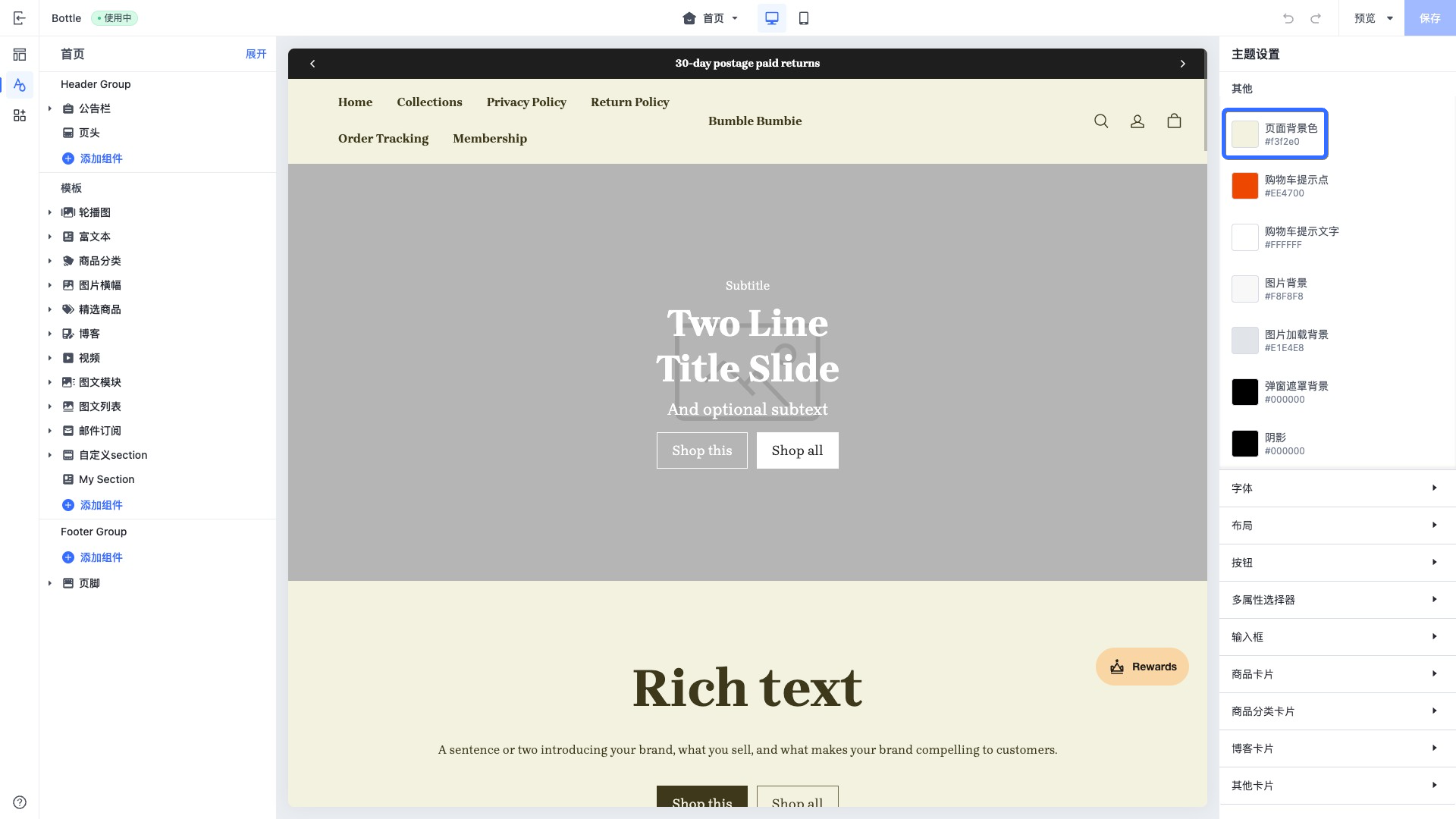 2. 修改全局页面背景颜色配置值为 `#E0F1F3` 。
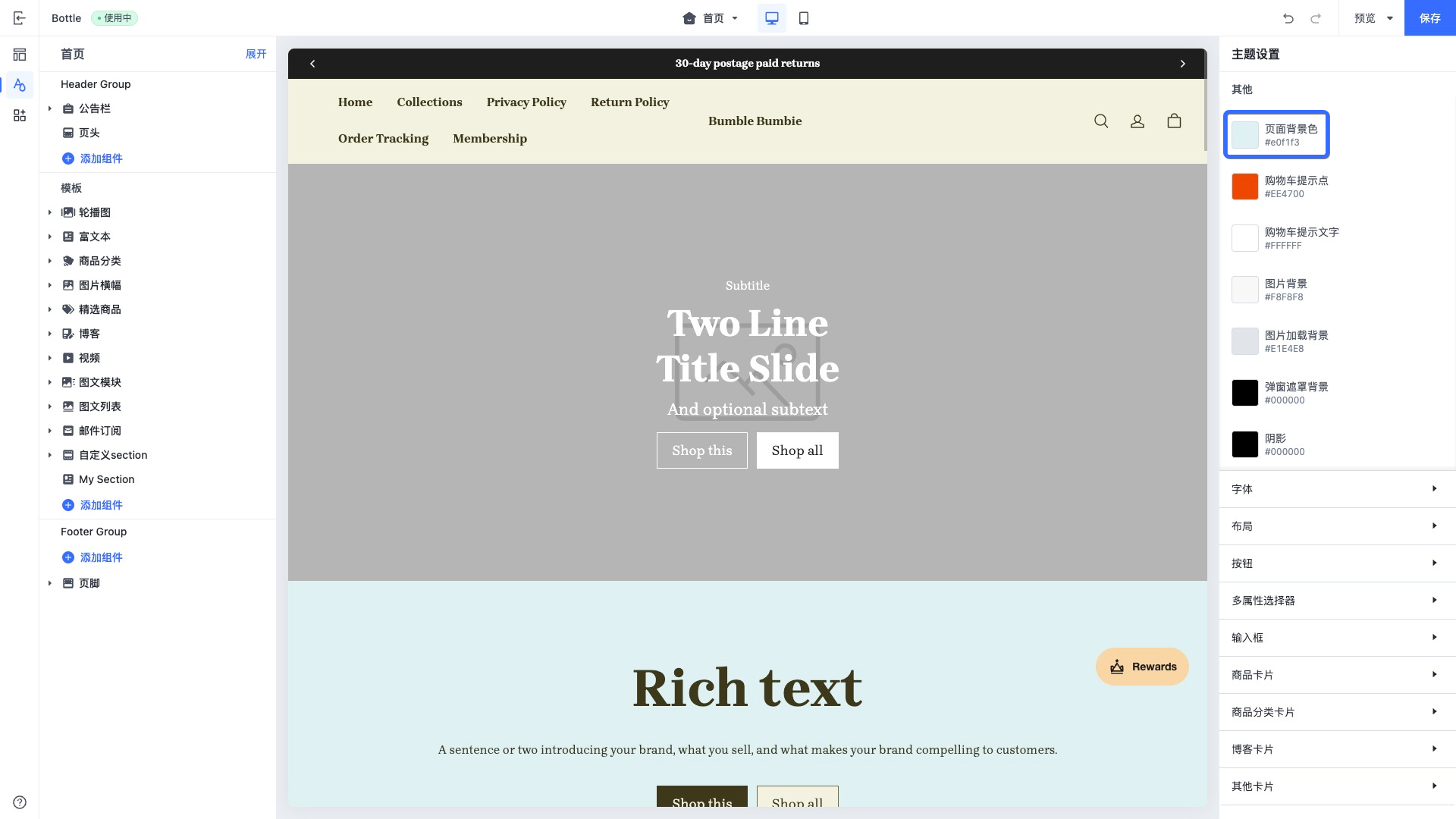 3. 在主题代码编辑器中查看 `theme.config.json` 配置文件,更新后的全局页面背景颜色存储在该文件中的 `presets.{name}.theme.color_page_background` 下。其中 `color_page_background` 键名在 [全局配置项](https://developer.shopline.com/zh-hans-cn/docs/online-store-3-0-themes/theme-structure/theme-schema-json.md#UtT0k) 中配置。如下片段样例展示了全局配置中的页面背景色配置:
```json
{
"current": "Default",
"presets": {
"Default": {
"theme": {
...
"color_page_background": "#e0f1f3", // 修改后的全局配置数据
...
},
"sections": {}
}
}
}
```
* * *
## 多风格配置{#oEkRQ}
你可以为主题添加多个风格,以支持商家在主题商城中选择使用。
### 添加新风格{#jpEV5}
在 JSON 文件中,可以通过在 `presets` 配置中添加一项来增加风格配置:
```json
// theme.config.json
{
"current": "Default",
"presets": {
"Default": { // 默认风格
"theme": {
"color_schemes": {
"scheme-1": {
"settings": {
"color_background": "#F3F2E0", // 默认风格:配色方案1,背景色配置
...
}
}
}
}
},
"Dark": { // 暗黑风格
"theme": {
"color_schemes": {
"scheme-1": {
"settings": {
"color_background": "#000000", // 暗黑风格:配色方案1,背景色配置
...
}
}
}
}
}
}
}
```
### 切换风格{#jHsgE}
通过修改 `current` 字段的值为 `Dark`,即可切换到暗黑风格:
```json
// theme.config.json
{
"current": "Dark", // 切换到暗黑风格
"presets": {
"Default": { // 默认风格
...
},
"Dark": { // 暗黑风格
...
}
}
}
```
* * *
## 固定组件配置{#aLV1W}
你可以通过主题编辑器,为 [固定组件](https://developer.shopline.com/zh-hans-cn/docs/online-store-3-0-themes/theme-structure/sections.md#b9bnC) 配置数据,数据会存储在 `theme.config.json` 固定组件配置字段 `presets.{name}.sections` 中。
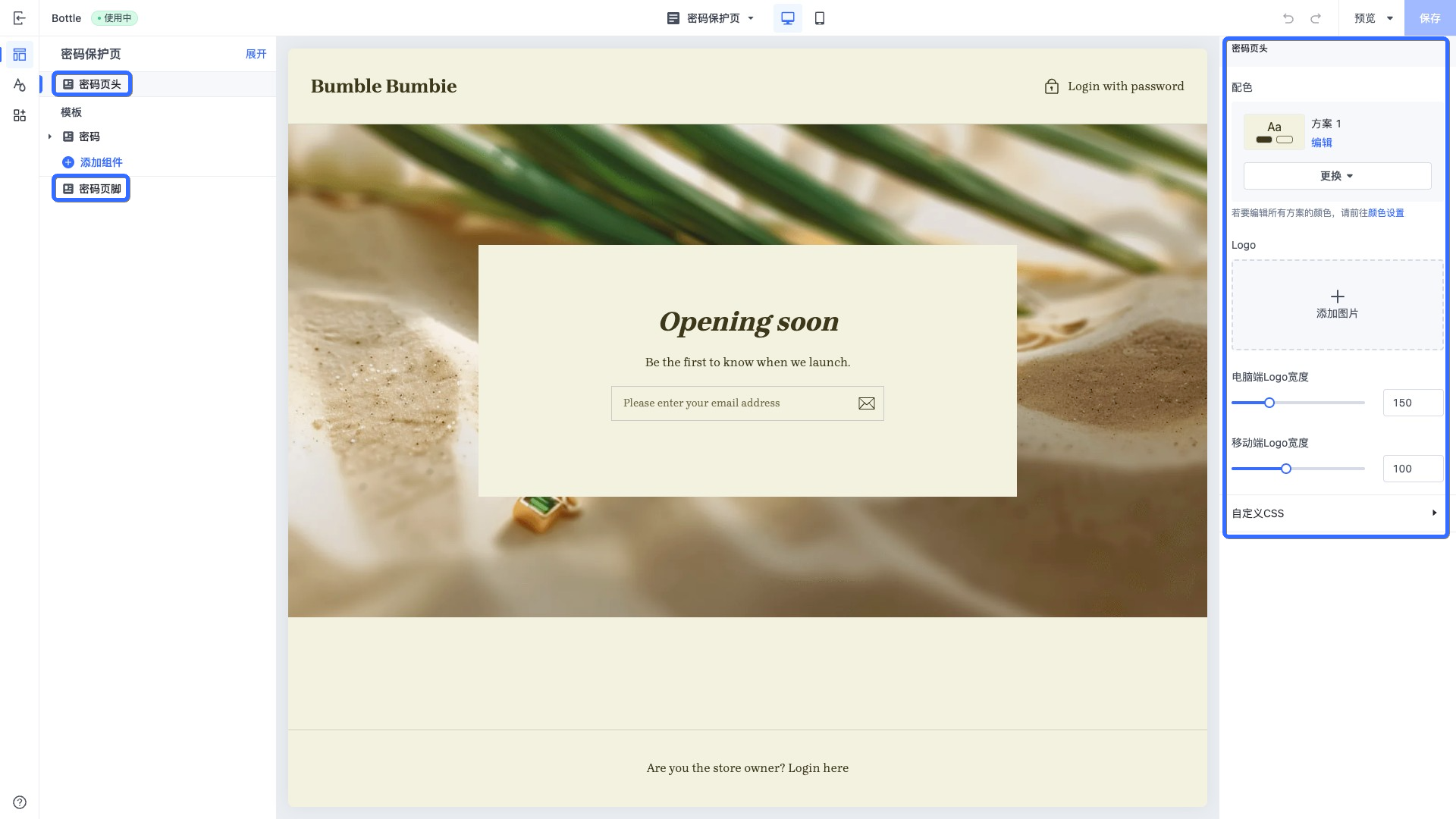
如下截图展示了密码保护页在主题编辑器的编辑状态,左边侧栏框选区域为固定组件,你可以修改固定组件配置。
3. 在主题代码编辑器中查看 `theme.config.json` 配置文件,更新后的全局页面背景颜色存储在该文件中的 `presets.{name}.theme.color_page_background` 下。其中 `color_page_background` 键名在 [全局配置项](https://developer.shopline.com/zh-hans-cn/docs/online-store-3-0-themes/theme-structure/theme-schema-json.md#UtT0k) 中配置。如下片段样例展示了全局配置中的页面背景色配置:
```json
{
"current": "Default",
"presets": {
"Default": {
"theme": {
...
"color_page_background": "#e0f1f3", // 修改后的全局配置数据
...
},
"sections": {}
}
}
}
```
* * *
## 多风格配置{#oEkRQ}
你可以为主题添加多个风格,以支持商家在主题商城中选择使用。
### 添加新风格{#jpEV5}
在 JSON 文件中,可以通过在 `presets` 配置中添加一项来增加风格配置:
```json
// theme.config.json
{
"current": "Default",
"presets": {
"Default": { // 默认风格
"theme": {
"color_schemes": {
"scheme-1": {
"settings": {
"color_background": "#F3F2E0", // 默认风格:配色方案1,背景色配置
...
}
}
}
}
},
"Dark": { // 暗黑风格
"theme": {
"color_schemes": {
"scheme-1": {
"settings": {
"color_background": "#000000", // 暗黑风格:配色方案1,背景色配置
...
}
}
}
}
}
}
}
```
### 切换风格{#jHsgE}
通过修改 `current` 字段的值为 `Dark`,即可切换到暗黑风格:
```json
// theme.config.json
{
"current": "Dark", // 切换到暗黑风格
"presets": {
"Default": { // 默认风格
...
},
"Dark": { // 暗黑风格
...
}
}
}
```
* * *
## 固定组件配置{#aLV1W}
你可以通过主题编辑器,为 [固定组件](https://developer.shopline.com/zh-hans-cn/docs/online-store-3-0-themes/theme-structure/sections.md#b9bnC) 配置数据,数据会存储在 `theme.config.json` 固定组件配置字段 `presets.{name}.sections` 中。
如下截图展示了密码保护页在主题编辑器的编辑状态,左边侧栏框选区域为固定组件,你可以修改固定组件配置。