Image
The Image UI component is used to display the product image.
Preview
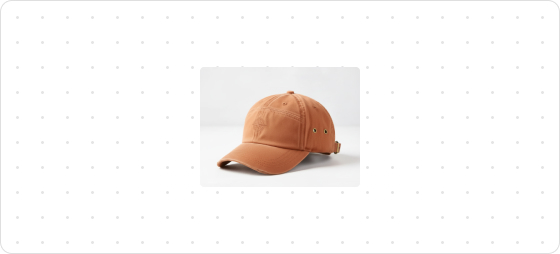
Code example
render('Checkout::Dynamic::Render', (root) => {
  return <Image
        source="https://img-va.myshopline.com/image/store/1610440173818/8e9f8d2dd769b87343d21876ee3b3825c0801cf9.png?w=1614&h=1788"
        viewportSize="large"
        border={true}
      ></Image>
});
ImageProps
tip
Optional properties are marked with a ?. Properties without a ? are required.
source
string
Image URL.
accessibilityDescription?
string
Detailed descriptive text provided for screen readers to assist customers with visual impairments in understanding the functionality or status of the UI component.
fit?
cover
contain
Image display size. By default, the image is displayed at its natural size.
contain: The replaced content is scaled to maintain its aspect ratio while filling the element's content box.cover: The replaced content will fill the entire content box of the element while maintaining its aspect ratio. If the aspect ratio of the image does not match the content box, the object will be clipped to fit.
loading?
eager
lazy
Image loading method.
eager: Load immediately.lazy: Load with delay.
aspectRatio?
number
Default: 1
Sets the image's aspect ratio. For example, if the configured value is 2, the image will be compressed, resulting in a display value of calc(50%). If the configured value is 0.5, the image will be enlarged, resulting in a display value of calc(200%).
viewportSize?
small
medium
large
string
Image viewport size.
small: The image dimensions are 80px by 80px.medium: The image dimensions are 200px by 200px.large: The image dimensions are 400px by 400px.
Supports custom viewport sizes:
- Percentage:
1%~100% - Pixels: Any valid value (such as
200px)
border?
boolean
Whether to set the image border.
true: With a borderfalse: Without a border
accessibilityRole?
string
Sets the semantic meaning of the component content. Once set, assistive technologies such as screen readers will use ARIA roles to help customers navigate the page.
Was this article helpful to you?

'%3e%3crect%20x='6'%20y='7.13049'%20width='13'%20height='10'%20rx='1'%20fill='black'/%3e%3cpath%20d='M12.4998%2012.936L-3.65042%200.604835L28.65%200.604838L12.4998%2012.936Z'%20stroke='white'%20stroke-linejoin='round'/%3e%3c/g%3e%3cdefs%3e%3cclipPath%20id='clip0_716_14611'%3e%3crect%20x='6'%20y='7.13049'%20width='13'%20height='10'%20rx='1'%20fill='white'/%3e%3c/clipPath%3e%3c/defs%3e%3c/svg%3e)

'%3e%3crect%20x='5.63086'%20y='7.26086'%20width='13'%20height='10'%20rx='1'%20fill='white'/%3e%3cpath%20d='M12.1306%2013.0664L-4.01956%200.735206L28.2809%200.735209L12.1306%2013.0664Z'%20stroke='%231A2C42'%20stroke-linejoin='round'/%3e%3c/g%3e%3cdefs%3e%3cclipPath%20id='clip0_716_14599'%3e%3crect%20x='5.63086'%20y='7.26086'%20width='13'%20height='10'%20rx='1'%20fill='white'/%3e%3c/clipPath%3e%3c/defs%3e%3c/svg%3e)