theme.schema.json
theme.schema.json is the file for theme information and global configuration definitions. It is placed in the root directory of the project, and used to define:
- Theme information: includes the name, version, author, supported links, and so on.
- Global configurations: include form elements such as colors and fonts, which merchants can edit in the theme visual editor.
Theme information definitions
The basic information about the theme includes the theme name, version number, author, and so on. This information will be used in the official style="background-color:#81DFE4;"Theme shop, style="background-color:#81DFE4;"theme editor, SHOPLINE Admin, and so on, to help merchants better understand the theme.Data structure
The following example shows the Bottle theme information.// theme.schema.json
{
"theme_name": "Bottle", // Theme name
"theme_version": "1.0.0", // Theme version
"theme_author": "SHOPLINE", // Theme author
"theme_documentation_url": "https://themes.shopline.com/themes/Bottle/styles/Default", // Theme introduction URL
"theme_support_url": "https://help.shopline.com/", // SHOPLINE Help Center URL
"theme_type_version": "OS_3.0", // Rendering engine version
"schemas": [...]
}
Field description
| Field | **Description ** | Example |
|---|---|---|
| theme_name | The theme name | "Bottle" |
| theme_version | The theme version | "1.0.0" |
| theme_author | The theme author | "SHOPLINE" |
| theme_documentation_url | The theme introduction document URL | "https://themes.shopline.com/themes/Bottle/styles/Default" |
| theme_support_url | SHOPLINE Help Center URL | "https://help.shopline.com/" |
| theme_type_version | The rendering engine version | "OS_3.0" |
Global configuration definitions
The global configuration defines common settings across the theme, which include, but are not limited to, the following scenarios:- Font: Defines the fonts applied to all pages.
- Input box: Defines the style of input boxes on all pages.
- Add-to-cart method: Defines the interaction method for all add-to-cart actions.
Data structure
The following example shows a part of the global configuration definitions for the Bottle theme, which are stored in theschemas field.
// theme.schema.json
{
  ...
  "schemas": [  								// Configuration collection
    {
      "name": "Color",  				// Configuration category name
      "settings": [  						// Setting list for the configuration
        {
          "type": "color",  		// Control type for the configuration
          "label": "Sale",  		// Label for the configuration
          "id": "color_sale",  	// Unique identifier for the configuration
          "default": "#3D3819"  // Default value for the configuration
        }
      ]
    },
    {
      "name": "Font",
      "settings": [
        {
          "type": "font",
          "label": "Font",
          "id": "title_font",
          "default": "Brygada 1918:700"
        }
      ]
    }
  ]
}
Field description
| Field | Description | Example |
|---|---|---|
| schemas | The collection of configurations | Refer to Data structure |
| name | The configuration category name | "Color" |
| settings | The setting list for the configuration | Refer to Data structure |
| type | The type of the configuration control, such as a color or font | "color" |
| label | The label for the configuration | "Sale" |
| id | The unique identifier for the configuration | "color_sale" |
| default | The default value for the configuration | "#3D3819" |
Use case examples
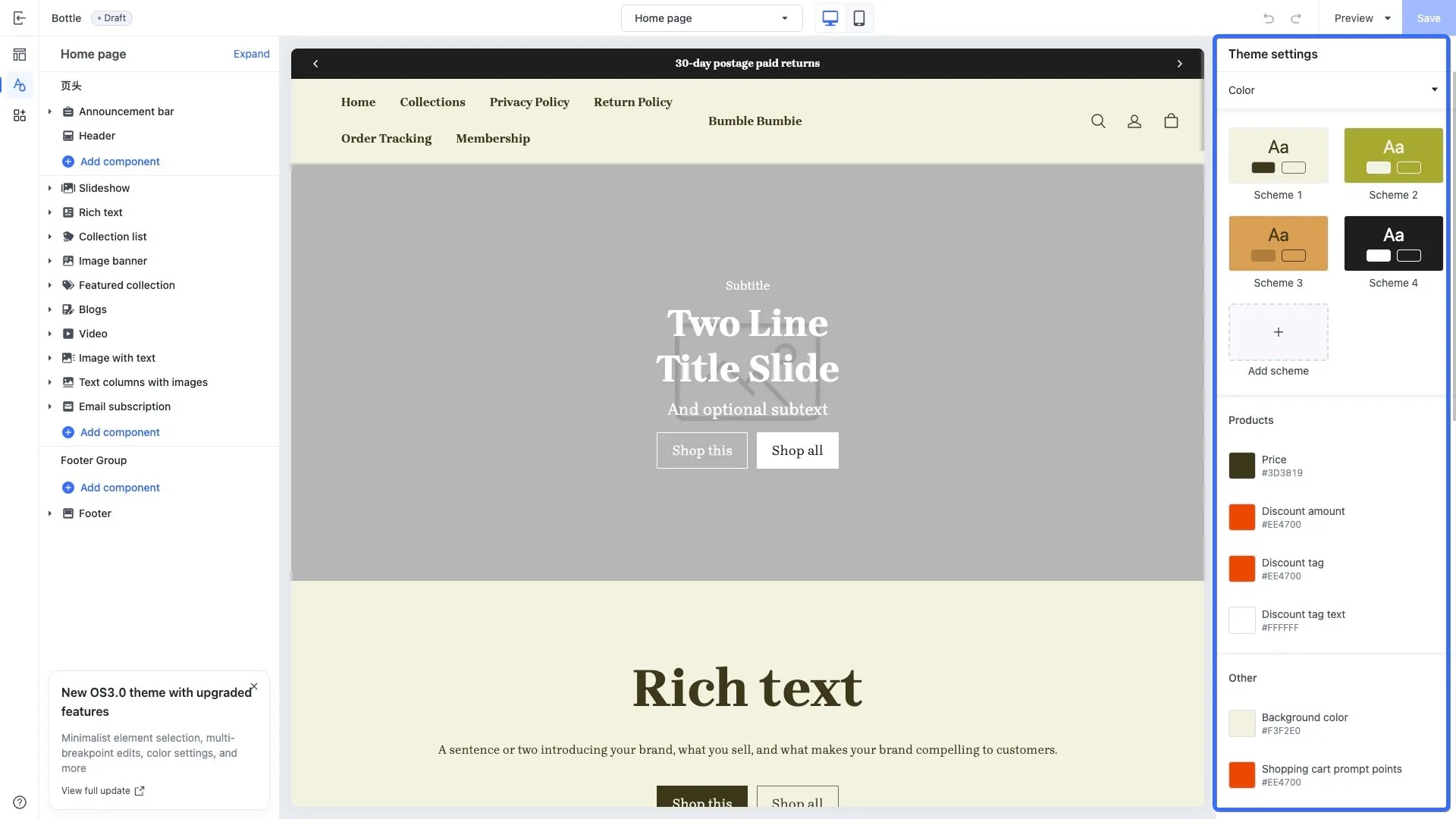
The following images show an example of how the global configurations of the Bottle theme are displayed in the theme editor.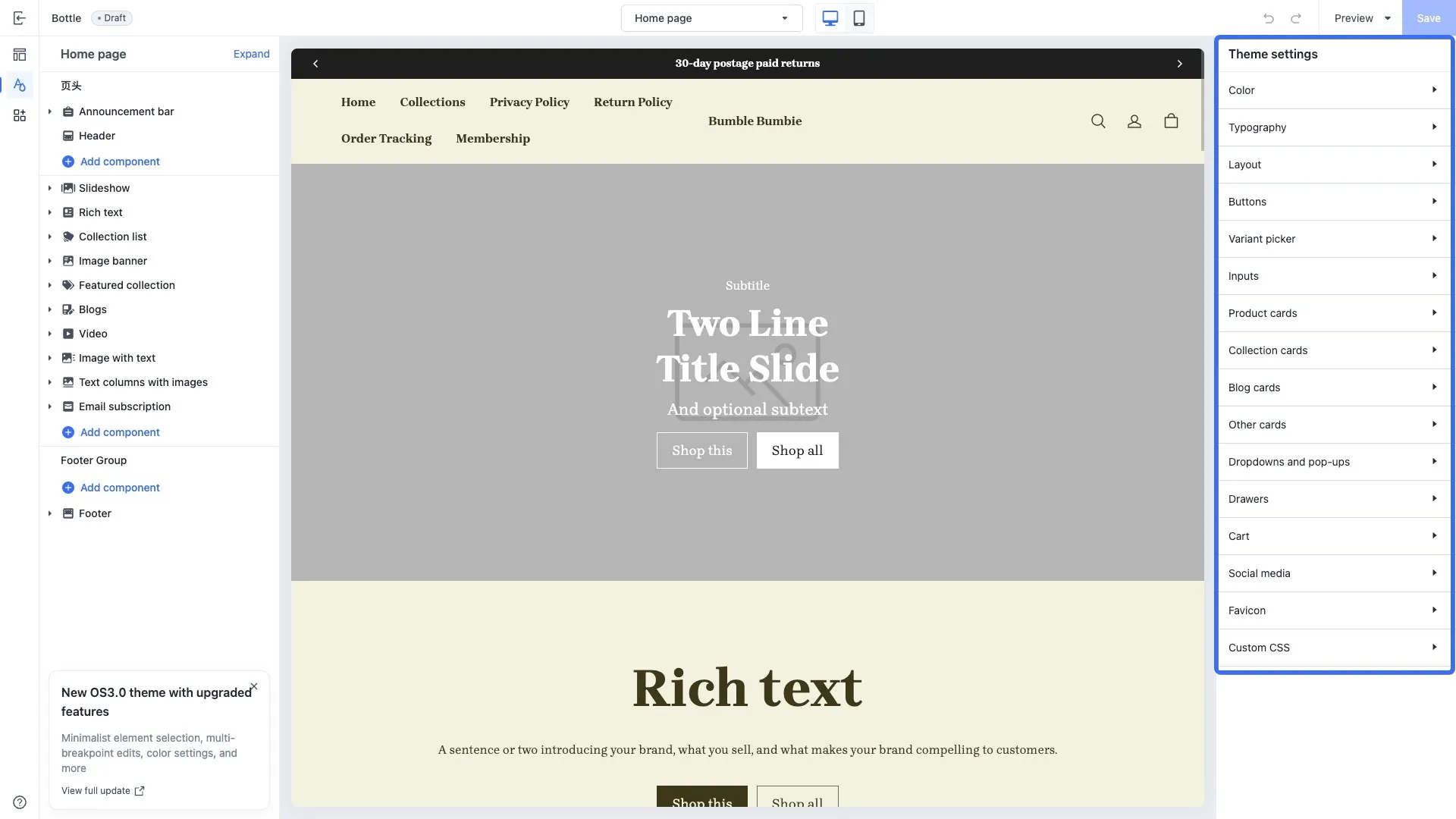
Was this article helpful to you?

'%3e%3crect%20x='6'%20y='7.13049'%20width='13'%20height='10'%20rx='1'%20fill='black'/%3e%3cpath%20d='M12.4998%2012.936L-3.65042%200.604835L28.65%200.604838L12.4998%2012.936Z'%20stroke='white'%20stroke-linejoin='round'/%3e%3c/g%3e%3cdefs%3e%3cclipPath%20id='clip0_716_14611'%3e%3crect%20x='6'%20y='7.13049'%20width='13'%20height='10'%20rx='1'%20fill='white'/%3e%3c/clipPath%3e%3c/defs%3e%3c/svg%3e)

'%3e%3crect%20x='5.63086'%20y='7.26086'%20width='13'%20height='10'%20rx='1'%20fill='white'/%3e%3cpath%20d='M12.1306%2013.0664L-4.01956%200.735206L28.2809%200.735209L12.1306%2013.0664Z'%20stroke='%231A2C42'%20stroke-linejoin='round'/%3e%3c/g%3e%3cdefs%3e%3cclipPath%20id='clip0_716_14599'%3e%3crect%20x='5.63086'%20y='7.26086'%20width='13'%20height='10'%20rx='1'%20fill='white'/%3e%3c/clipPath%3e%3c/defs%3e%3c/svg%3e)