折扣优惠
折扣是商家为促进销售而设定的一种营销手段,它可以应用在多个维度上,如订单、订单商品行、购物车和结账页。你可以在 SHOPLINE 商家后台设置以下类型的折扣优惠:
展示折扣信息需要用到的 object
discount_application
在 cart 类型的 模板 中,你可以通过 cart object 访问以下 discount_application 折扣优惠信息:
- cart.discount_applications
- cart.cart_level_discount_applications
discount_allocation
discount_allocation 与一个订单商品行关联,因此可以通过 line_item.line_level_discount_allocations 访问直接适用于具体商品行的折扣优惠。
line_item
代表一个订单商品行,可以通过以下 object 访问:
要展示折扣前和折扣后的价格,你可以使用 line_item 的以下属性:
- original_price
- original_line_price
- final_price
- final_line_price
- line_level_total_discount
在主题中展示折扣信息
以下以购物车为示例,实现在订单商品行和订单小计部分的折扣信息展示。同理,订单详情页也适用以下示例代码。
订单商品行展示折扣信息
当你对一个订单商品使用了折扣,就需要展示这个订单商品行上生效的折扣优惠和最终折扣金额。这时,你就需要用到 line_item.line_level_discount_allocations 和 line_item.final_line_price。
输出一个订单商品行的折扣优惠信息
代码示例如下:
{{#for item in cart.items }}
  {{#if item.line_level_discount_allocations | size() }}
    <ul>
      {{#for discount in item.line_level_discount_allocations }}
        <li>
          {{#component "icons/bookmark" /}}
          <span>
            {{ discount.discount_application.title }}
            (-{{{ discount.amount | money_with_currency() }}})
          </span>
        </li>
      {{/for}}
    </ul>
  {{/if}}
{{/for}}
输出一个订单商品行的最终折扣金额
代码示例如下:
{{#for item in cart.items }}
  <b>{{{item.final_line_price | money_with_currency()}}}</b>
{{/for}}
最终效果
以下是在一个订单商品行展示折扣优惠的效果图:
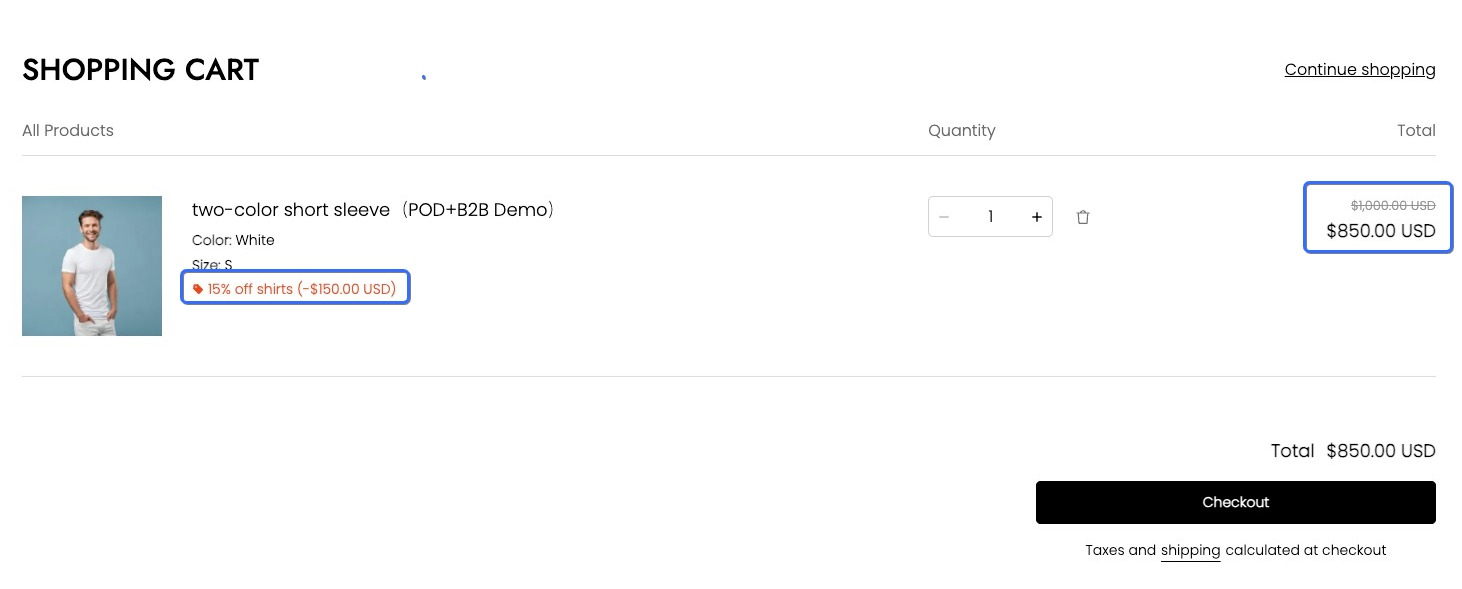
购物车页面展示小计折扣
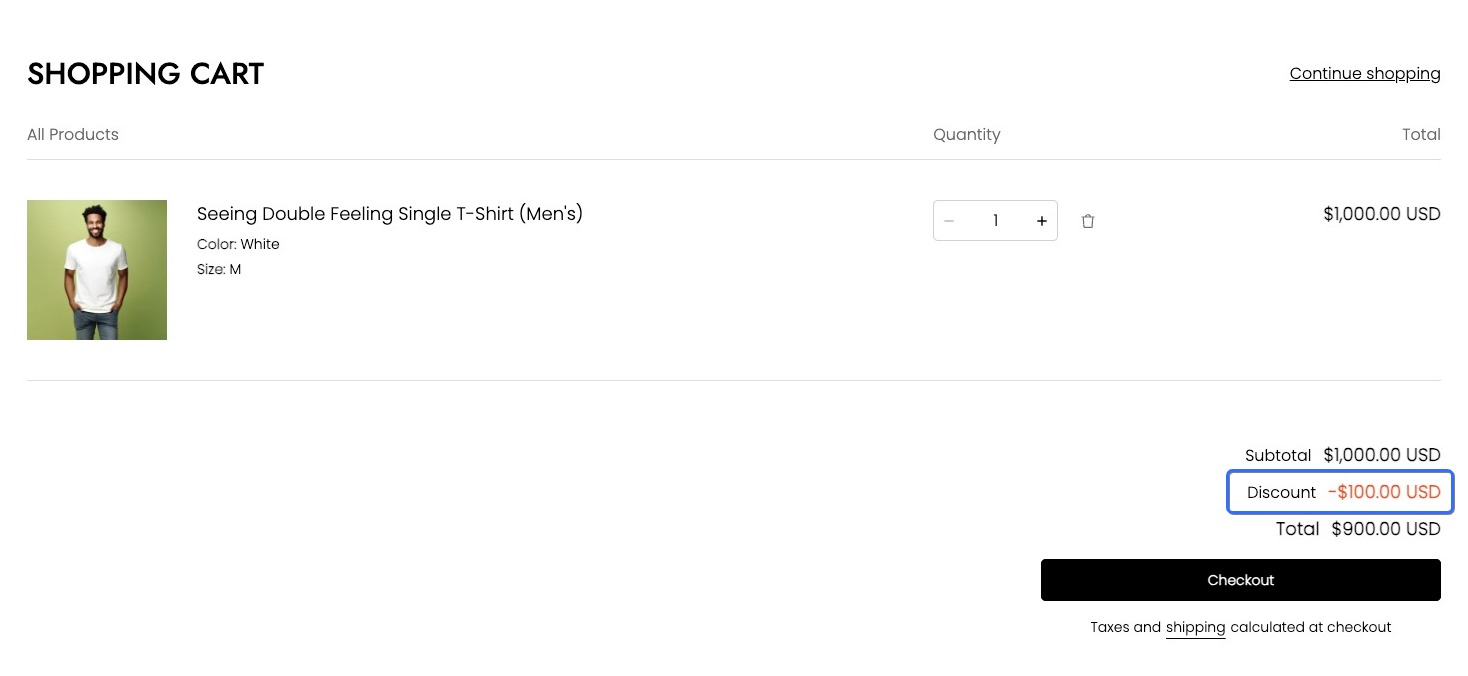
当你对整个购物车使用了折扣,则可以通过 cart object 中的 cart_level_discount_applications object 去获取整个订单的总折扣优惠金额。代码示例如下所示:
{{#for level_discount_application in cart.cart_level_discount_applications}}
<li>
  <div>
    {{#component "icons/bookmark" /}}
    <em>{{level_discount_application.title}}</em>
  </div>
  <span>-{{{level_discount_application.value | money_with_currency()}}}</span>
</li>
{{/for}}
效果图如下:
这篇文章对你有帮助吗?

'%3e%3crect%20x='6'%20y='7.13049'%20width='13'%20height='10'%20rx='1'%20fill='black'/%3e%3cpath%20d='M12.4998%2012.936L-3.65042%200.604835L28.65%200.604838L12.4998%2012.936Z'%20stroke='white'%20stroke-linejoin='round'/%3e%3c/g%3e%3cdefs%3e%3cclipPath%20id='clip0_716_14611'%3e%3crect%20x='6'%20y='7.13049'%20width='13'%20height='10'%20rx='1'%20fill='white'/%3e%3c/clipPath%3e%3c/defs%3e%3c/svg%3e)

'%3e%3crect%20x='5.63086'%20y='7.26086'%20width='13'%20height='10'%20rx='1'%20fill='white'/%3e%3cpath%20d='M12.1306%2013.0664L-4.01956%200.735206L28.2809%200.735209L12.1306%2013.0664Z'%20stroke='%231A2C42'%20stroke-linejoin='round'/%3e%3c/g%3e%3cdefs%3e%3cclipPath%20id='clip0_716_14599'%3e%3crect%20x='5.63086'%20y='7.26086'%20width='13'%20height='10'%20rx='1'%20fill='white'/%3e%3c/clipPath%3e%3c/defs%3e%3c/svg%3e)