Discounts
Merchants use discounts as promotional tools to drive sales. Discounts can be applied at multiple levels, including the order, line-item, cart, and checkout levels. In the SHOPLINE Admin, you can configure the following categories of discounts:
Objects containing discount information
discount_application
In a template file of the cart type, you can access the discount information in discount_application via the following properties of the cart object:
- cart.discount_applications
- cart.cart_level_discount_applications
discount_allocation
discount_allocation is associated with a specific line item. Thus, you can access the discount information for a specific line item via line_item.line_level_discount_allocations.
line_item
line_item represents a specific line item and can be accessed via the following objects:
To display a product variant's price before or after discount application, use the following properties of line_item:
- original_price
- original_line_price
- final_price
- final_line_price
- line_level_total_discount
Displaying discount information in the theme
The following demonstrates how to display a line-item discount and a subtotal-based discount on the shopping cart page. The code snippet can also be used for an order details page.
Displaying a line-item discount
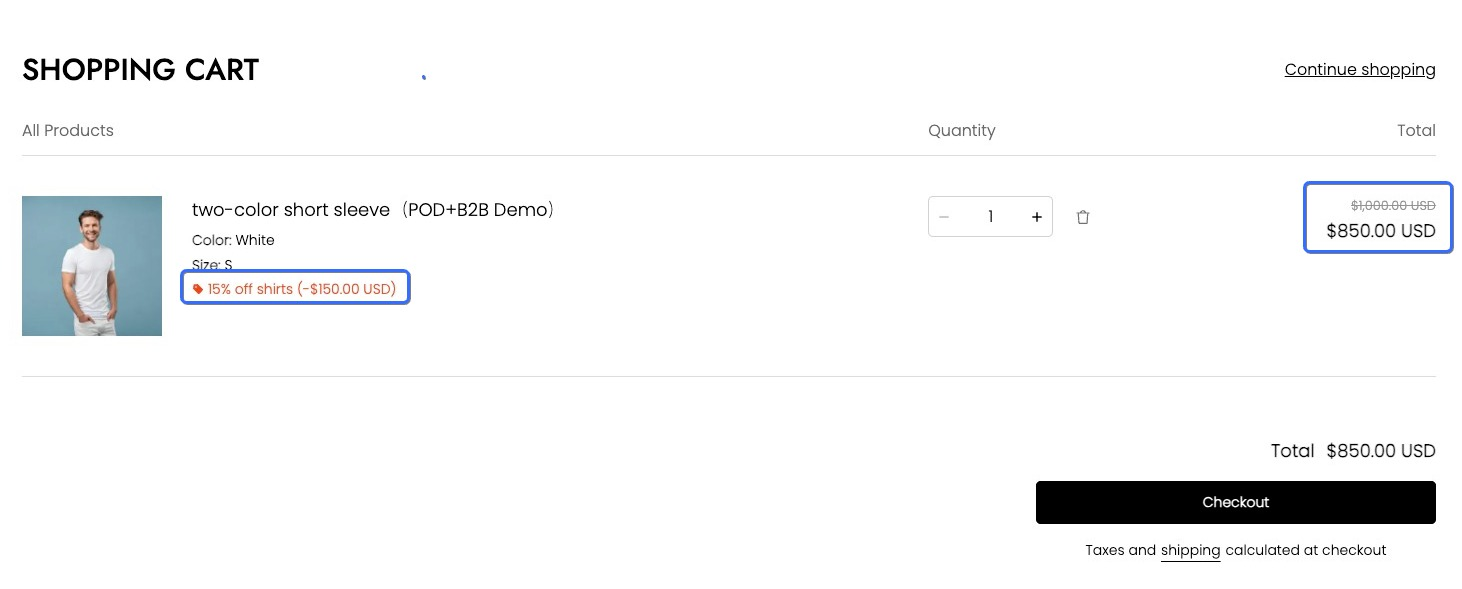
To display the active discount applied and the final discounted price for a specific line item, use line_item.line_level_discount_allocations and line_item.final_line_price.
Outputting the discount information
The example code is as follows:
{{#for item in cart.items }}
  {{#if item.line_level_discount_allocations | size() }}
    <ul>
      {{#for discount in item.line_level_discount_allocations }}
        <li>
          {{#component "icons/bookmark" /}}
          <span>
            {{ discount.discount_application.title }}
            (-{{{ discount.amount | money_with_currency() }}})
          </span>
        </li>
      {{/for}}
    </ul>
  {{/if}}
{{/for}}
Outputting the final discounted price
The example code is as follows:
{{#for item in cart.items }}
  <b>{{{item.final_line_price | money_with_currency()}}}</b>
{{/for}}
Effect
The final effect of displaying discount information for the line item is as follows:
Displaying a subtotal-based discount
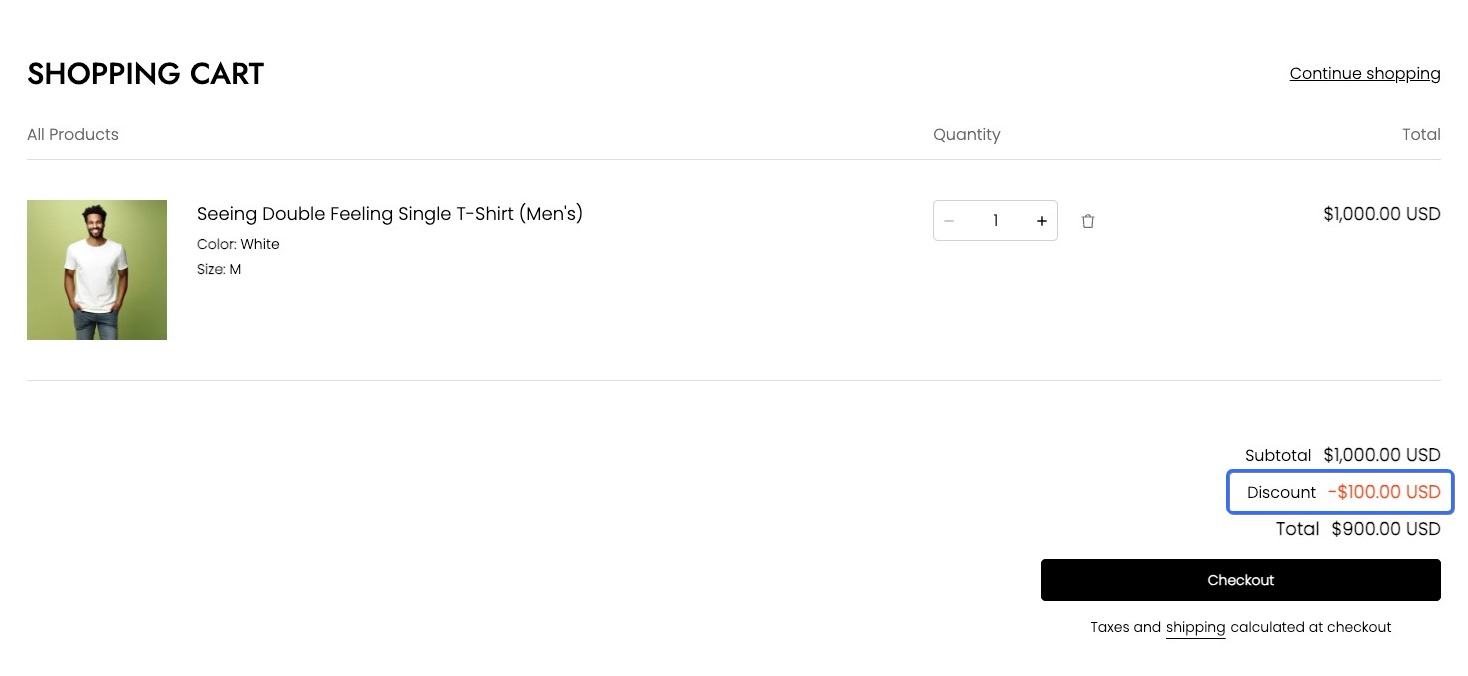
To retrieve the total discount amount for an order when a discount is applied to the entire shopping cart, use the cart_level_discount_applications property of the cart object. The example code is as follows:
{{#for level_discount_application in cart.cart_level_discount_applications}}
<li>
  <div>
    {{#component "icons/bookmark" /}}
    <em>{{level_discount_application.title}}</em>
  </div>
  <span>-{{{level_discount_application.value | money_with_currency()}}}</span>
</li>
{{/for}}
The final effect is as follows:

'%3e%3crect%20x='6'%20y='7.13049'%20width='13'%20height='10'%20rx='1'%20fill='black'/%3e%3cpath%20d='M12.4998%2012.936L-3.65042%200.604835L28.65%200.604838L12.4998%2012.936Z'%20stroke='white'%20stroke-linejoin='round'/%3e%3c/g%3e%3cdefs%3e%3cclipPath%20id='clip0_716_14611'%3e%3crect%20x='6'%20y='7.13049'%20width='13'%20height='10'%20rx='1'%20fill='white'/%3e%3c/clipPath%3e%3c/defs%3e%3c/svg%3e)

'%3e%3crect%20x='5.63086'%20y='7.26086'%20width='13'%20height='10'%20rx='1'%20fill='white'/%3e%3cpath%20d='M12.1306%2013.0664L-4.01956%200.735206L28.2809%200.735209L12.1306%2013.0664Z'%20stroke='%231A2C42'%20stroke-linejoin='round'/%3e%3c/g%3e%3cdefs%3e%3cclipPath%20id='clip0_716_14599'%3e%3crect%20x='5.63086'%20y='7.26086'%20width='13'%20height='10'%20rx='1'%20fill='white'/%3e%3c/clipPath%3e%3c/defs%3e%3c/svg%3e)