View
The View component is a universal container that maintains its internal content at its original size without forcibly stretching it. This component is particularly useful within layout components (such as Grid, BlockStack, InlineLayout) to prevent unexpected distortion of child components due to automatic size adjustments by layout components.
Preview
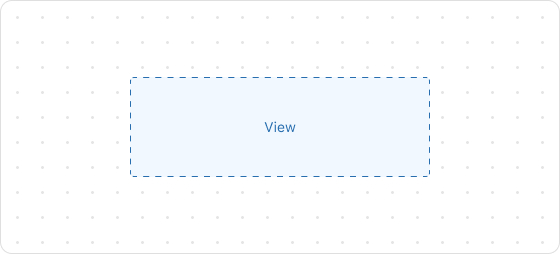
Code example
render('Checkout::Dynamic::Render', (props) => {
  return (
    <View border="base">
        View
    </View>
  );
});
ViewProps
Optional properties are marked with a ?. Properties without a ? are required.
display?
MaybeResponsiveConditionalStyle<Display>
Default: block
The alignment direction.
maxBlockSize?
MaybeResponsiveConditionalStyle<Sizing>
The maximum vertical size.
maxInlineSize?
MaybeResponsiveConditionalStyle<Sizing>
The maximum horizontal size.
minBlockSize?
MaybeResponsiveConditionalStyle<Sizing>
The minimum vertical size.
minInlineSize?
MaybeResponsiveConditionalStyle<Sizing>
The minimum horizontal size.
opacity?
Opacity
The opacity of the component.
overflow?
Overflow
Manages content overflow.
border?
MaybeResponsiveConditionalStyle<MaybeShorthandProperty<BorderStyle>>
The border style.
cornerRadius?
MaybeResponsiveConditionalStyle<MaybeShorthandProperty<CornerRadius>>
The corner radius size.
padding?
MaybeResponsiveConditionalStyle<MaybeShorthandProperty<Spacing>>
Configures the inner padding.
borderWidth?
MaybeResponsiveConditionalStyle<MaybeShorthandProperty<BorderWidth>>
Specifies the border width. Requires the border to be enabled first. Supports a custom numeric value, such as 20.
backgroundColor
string
The background color. Supports custom color values, for example:
- Color Names:
red - Hex:
#FF0000 - RGB:
rgb(255, 0, 0) - RGBA:
rgba(255, 0, 0, 0.5) - HSL:
hsl(0, 100%, 50%) - HSLA:
hsla(0, 100%, 50%, 0.5)
Invalid inputs will not be applied.
borderColor
string
The border color. Requires the border to be enabled first. Supports custom color values, for example:
- Color Names:
red - Hex:
#FF0000 - RGB:
rgb(255, 0, 0) - RGBA:
rgba(255, 0, 0, 0.5) - HSL:
hsl(0, 100%, 50%) - HSLA:
hsla(0, 100%, 50%, 0.5)
Invalid inputs will not be applied.
Type descriptions
Display
block
inline
block: Aligns the component vertically.inline: Aligns the component horizontally.
Sizing
number
${number}%
fill
Opacity
10
20
30
40
50
60
70
80
90
Overflow
hidden
visible
hidden: Hides content that overflows the component bounds.visible: Allows content to overflow and remain visible.
BorderStyle
base
dotted
none
base: Solid border.dotted: Dashed border.none: No border.
CornerRadius
base
small
large
fullyRounded
none
Spacing
none
base
extraTight
tight
loose
extraLoose
BorderWidth
base
medium
number
MaybeResponsiveConditionalStyle
T | ConditionalStyle<T, ViewportSizeCondition>
- Example of a plain value:
base - Example of a conditional value:
{ defaultValue: 'tight', conditionals: [{ conditions: { viewportInlineSize: { min: 'medium' } }, value: 'loose' }] }
ConditionalStyle
{ defaultValue?: T; conditionals: ConditionalValue<T, Conditions>[] }
ConditionalValue
{ conditions: Conditions; value: T }
Conditions
AtLeastOne<ViewportSizeCondition>
ViewportSizeCondition
{ viewportInlineSize: { min: T } }
AtLeastOne
Partial<T> & U[keyof U]
ViewportInlineSize
extraSmall
small
medium
large
Refer to Viewport breakpoints.
MaybeShorthandProperty
T | ShorthandProperty<T>
ShorthandProperty
[T, T]
[T, T, T, T]

'%3e%3crect%20x='6'%20y='7.13049'%20width='13'%20height='10'%20rx='1'%20fill='black'/%3e%3cpath%20d='M12.4998%2012.936L-3.65042%200.604835L28.65%200.604838L12.4998%2012.936Z'%20stroke='white'%20stroke-linejoin='round'/%3e%3c/g%3e%3cdefs%3e%3cclipPath%20id='clip0_716_14611'%3e%3crect%20x='6'%20y='7.13049'%20width='13'%20height='10'%20rx='1'%20fill='white'/%3e%3c/clipPath%3e%3c/defs%3e%3c/svg%3e)

'%3e%3crect%20x='5.63086'%20y='7.26086'%20width='13'%20height='10'%20rx='1'%20fill='white'/%3e%3cpath%20d='M12.1306%2013.0664L-4.01956%200.735206L28.2809%200.735209L12.1306%2013.0664Z'%20stroke='%231A2C42'%20stroke-linejoin='round'/%3e%3c/g%3e%3cdefs%3e%3cclipPath%20id='clip0_716_14599'%3e%3crect%20x='5.63086'%20y='7.26086'%20width='13'%20height='10'%20rx='1'%20fill='white'/%3e%3c/clipPath%3e%3c/defs%3e%3c/svg%3e)